Language Practice Lock Screen
CPSC 581 Fall 2021 - Project 2


CPSC 581 Fall 2021 - Project 2
Created By: Marcello Di Benedetto, Abraham Beauferris, Christopher Rodriguez
This project revolves around creating a novel replacement to the “slide to unlock” style lock screens common to modern smartphones that still resists accidental activation. This specific replacement does not stray far from the traditional design as it still has an emphasis on touch or multi-touch based interaction. Though, as a requirement of the design process, the replacement lock screen should have a side benefit to the user in terms of self-betterment or the encouragement of healthy habits. The 10+10 design method was put to use for this project to narrow in on a final design with useful and intuitive features.
The final design chosen by our group is one of an educational nature, where a user is prompted to put their foreign language skills to the test in order to unlock their phone. The foregin language in this case is Japanese, as it aligns with one of our group members personal aspirations to learn and practice the language. The resulting design tests the user’s knowledge of Hiragana and Katakana, the core Japanese writing systems, with a configurable interface.
As this touch-based project was developed in parallel with a sensor-based project, the following concept sketches include only the touch-based sketches from the concepts.
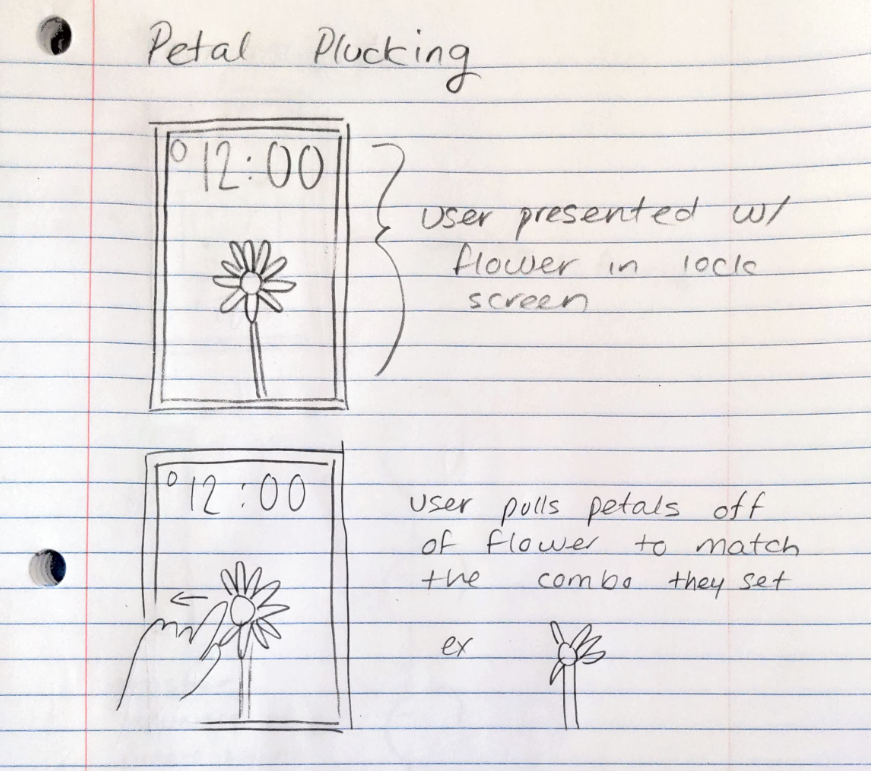
This touch based concept greets the user with an image of a flower on the lock screen. The user must then touch and swipe away the petals to remove them from the flower to unlock the phone. This could also have a passcode based variation, where the user configures a specific sequence of petals to pull that would unlock their phone. This concept was not pursued as it did not have a direct side benefit to the user.
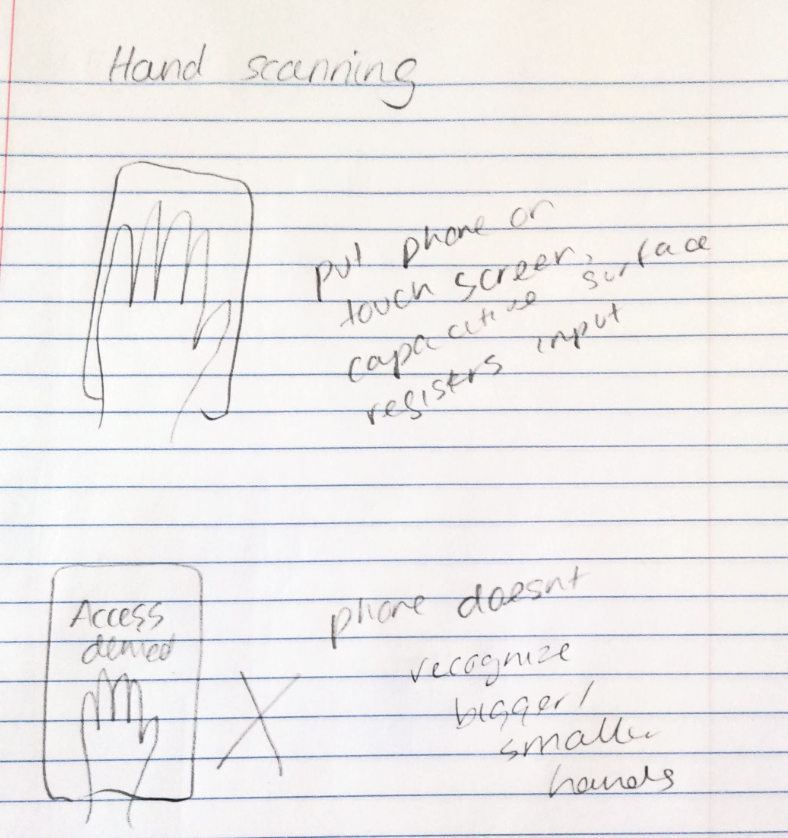
This multi touch based concept requires the user to lay their hand on their phone screen to mimic a hand scanner. The phone will then unlock when specific points on the screen have been touched and held at the same time. This was not pursued further as it does not have a direct side benefit to the user and our group was unsure how it would be implemented in a way that provided a degree of authentication expected from a hand scanner.
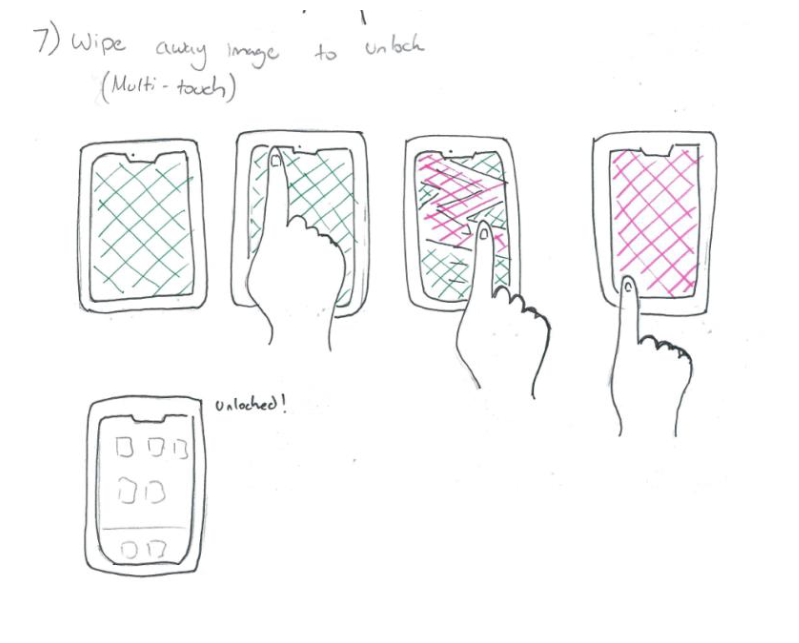
For this multi-touch based concept, the user would be greeted with their regular lock screen display. They can then use touch or multi touch to wipe away their lock screen, exposing their home screen in the process. Once the entire lock screen has been wiped away, the phone will unlock and the home screen would become intractable. This provides a slight secondary action for the user by serving as a fidget tool, but this benefit was not as direct as we wanted so this concept was not pursued further.
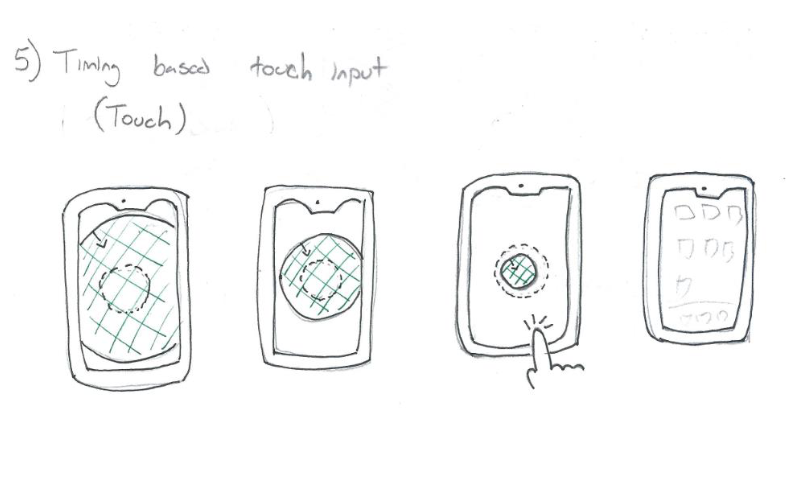
For this touch-based concept, the user must wait for a constantly shrinking circle to enter the highlighted radius. Once the circle is within this region, a touch input from the user will unlock the phone. This concept was not pursued further as it seemed a bit too simple, and could accidentally be unlocked. This concept also did not have a direct side benefit to the user.
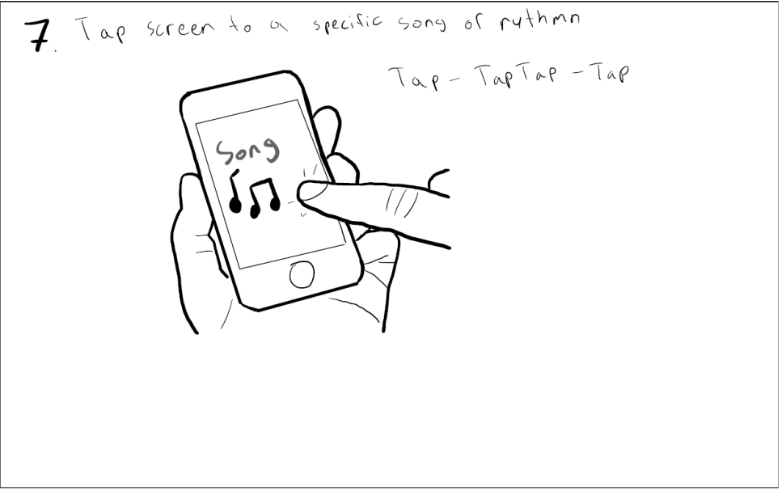
This touch based concept requires the user to tap the screen along with the beat of music playing from the speaker to unlock the phone. This concept has a side benefit to the user as it could be personalizable with their own music library. This could also have an authentication aspect as the user could choose a song and enter the rhythm without the prompt from the speaker. This concept was not pursued as we wanted to go with a more educational route for our final design.
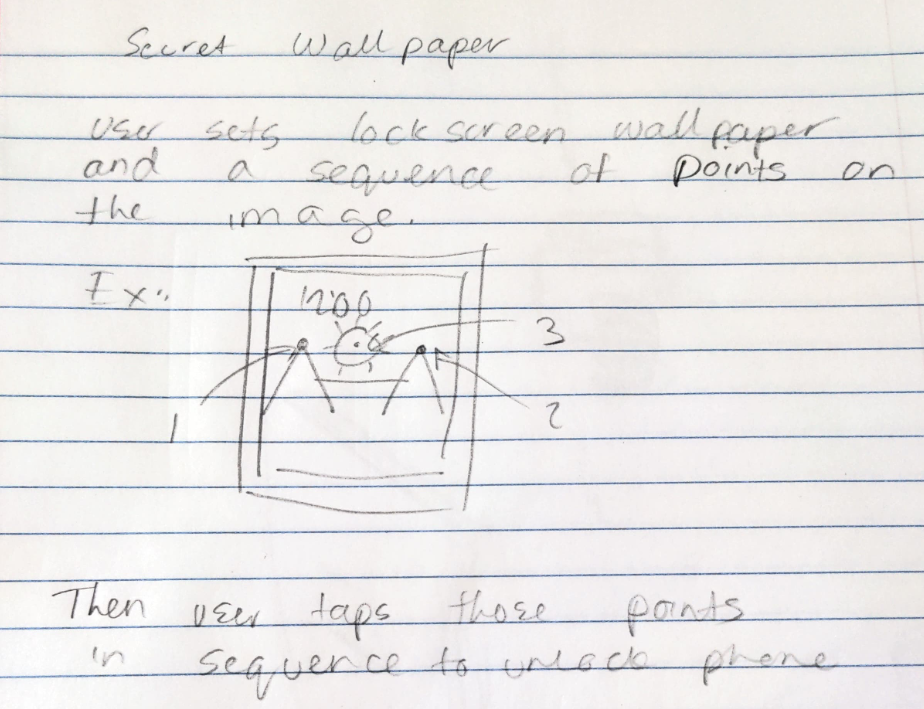
The phone will display the user’s lock screen image as normal, and the user must select their configured sequence of locations on the image to unlock the phone. This concept has an authentication based aspect, and resists being accidentally unlocked due to the requirement of multiple touch inputs at specific locations. This concept was not pursued further as there was not an obvious way to incorporate animation based user feedback.
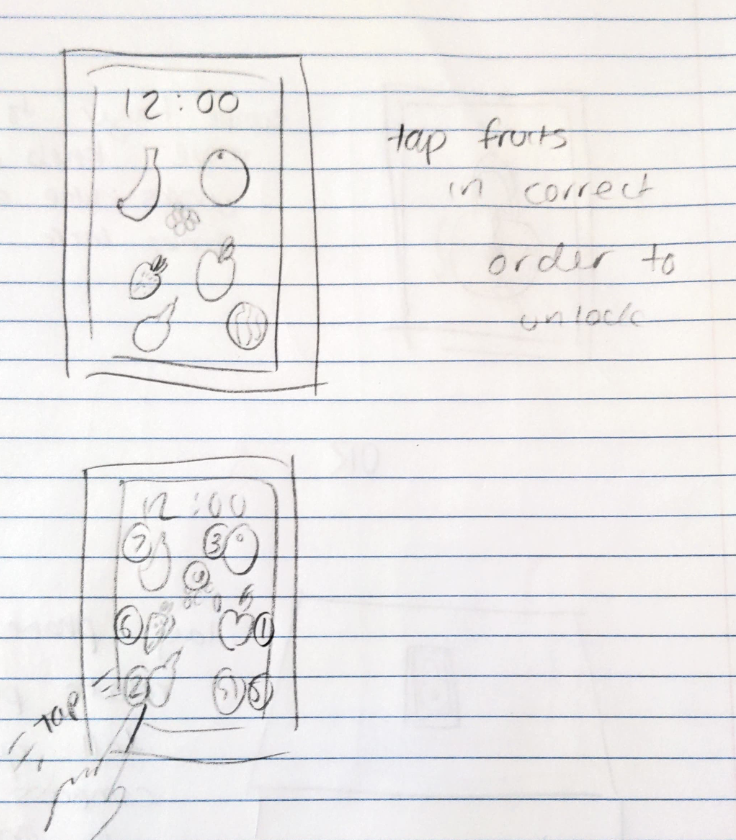
The phone will display a series of fruit images, for which the user would have to tap in the correct sequence to unlock their phone. This has an authentication based aspect as the user could set up their sequence beforehand and enter it similar to a passcode. This concept was not pursued further as it did not stray far enough from the traditional passcode based lock screens.
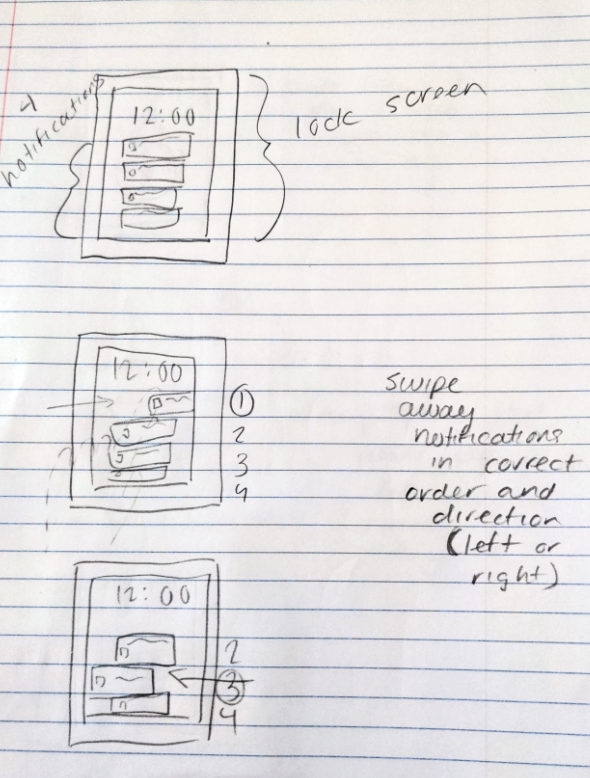
This concept is another play on a sequence based lock input, but it utilizes the traditional sliding gesture to enter the passcode sequence. This lock screen will display a series of notifications for the user to swipe away in the correct sequence. Though, there is an extra dimension for the passcode, as the direction of the swipe matters. This concept was not pursued further as it does not have a direct benefit to the user.
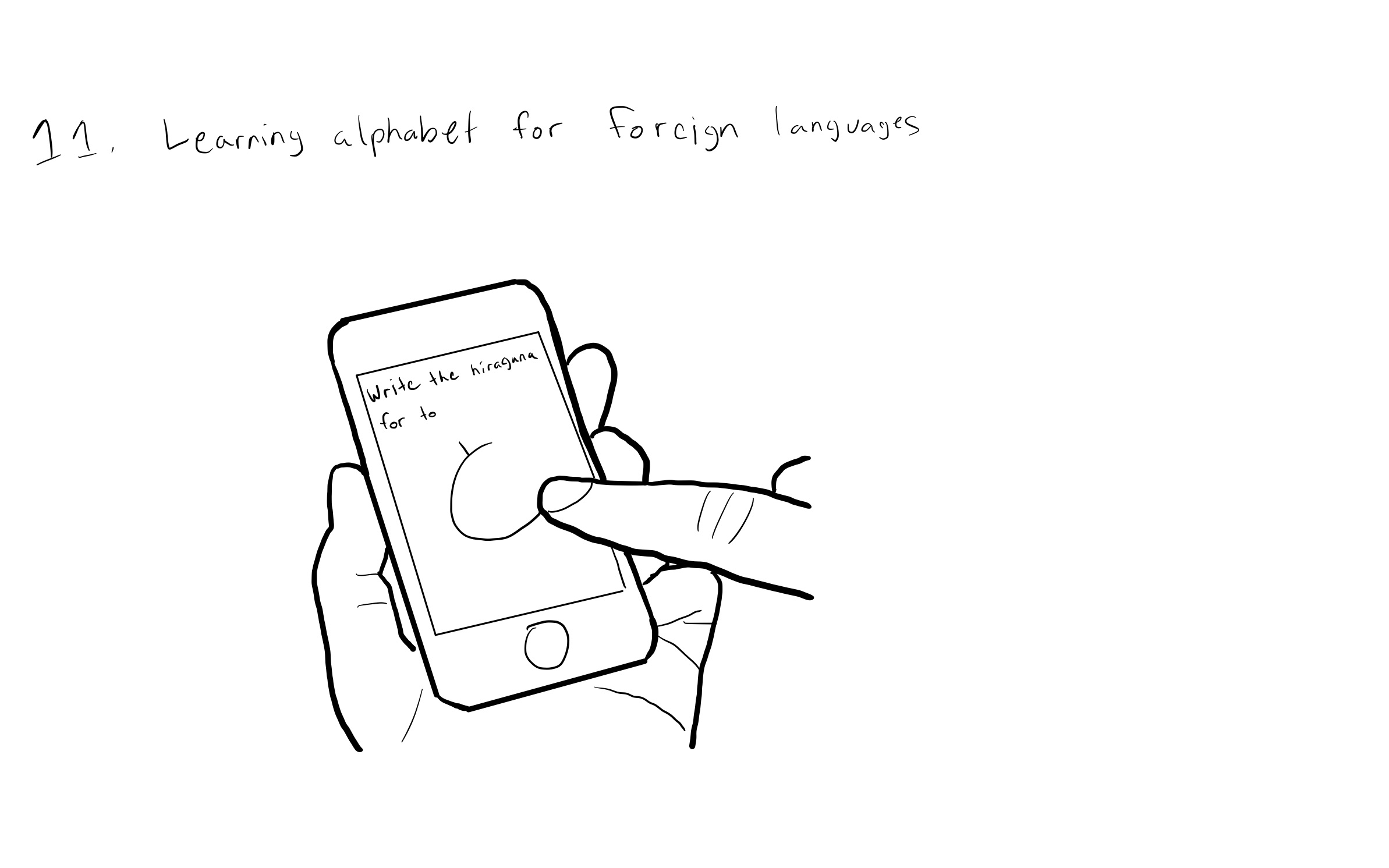
The user would be prompted to write a character from a foreign language which they are currently practicing. The user would draw the character on a canvas and submit it. If the character is close enough to the required accuracy, the phone will be unlocked, if not, there will be a small delay and the user will be prompted with another character until they get one correct. This concept was chosen for the next iteration of the design process as it undoubtedly beneficial to the user, and would avoid accidental activation. There are also variations on this design that can provide some form of authentication.
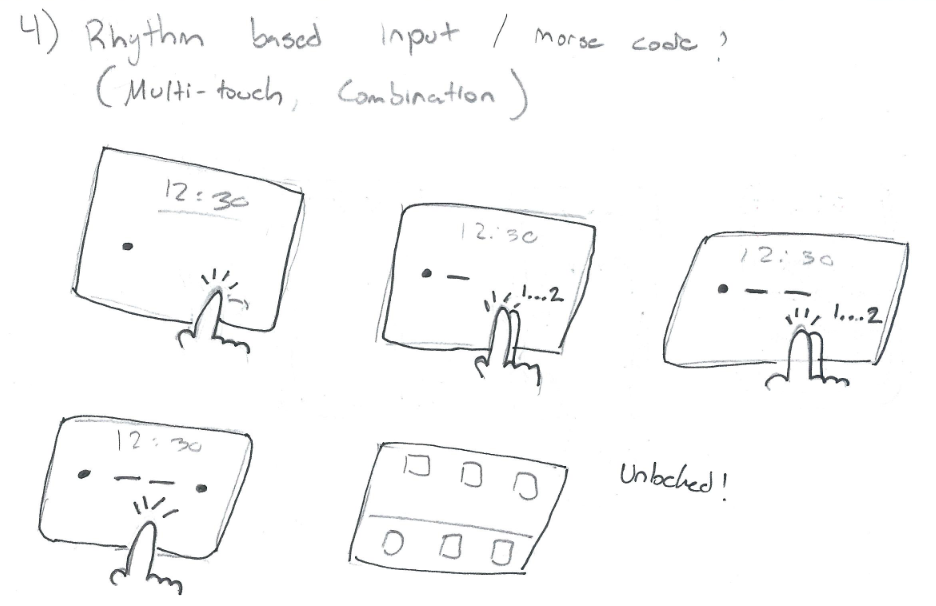
This concept would require the user to enter a passcode by tapping a sequence of morse code dots/ dashes. Dots would be entered by a single quick touch input and dashes could be input by either a long press, or a multi touch gesture. The sequence would be displayed on the screen as the user enters it and the phone would unlock if the input matches the user’s pre-determined passcode. This concept would resist accidental activation and is a clear example of authentication. Though, this concept was not chosen for the next iteration as it is still essentially a 4 digit passcode, which we wanted to stray further away from.
From the initial concept sketches, we ended up going the route of the educational approach of the “Foreign language alphabet test”. This concept had the most direct benefit to the user and was novel enough to not rely on a sequence of actions required by traditional lock screens. A drawback to this design is that for it to be educational and randomly generated, the design would not have a clear authentication aspect. Anyone familiar with the language would be able to unlock the phone. Though this could be rectified in the variations, or would not be necessary if this system is used in conjunction with face id for authentication. Our group believed the clear educational benefit of this design is novel enough to overcome some authentication drawbacks.
The following are some details and variations of our chosen concept, the “Foreign language alphabet test” lock screen.
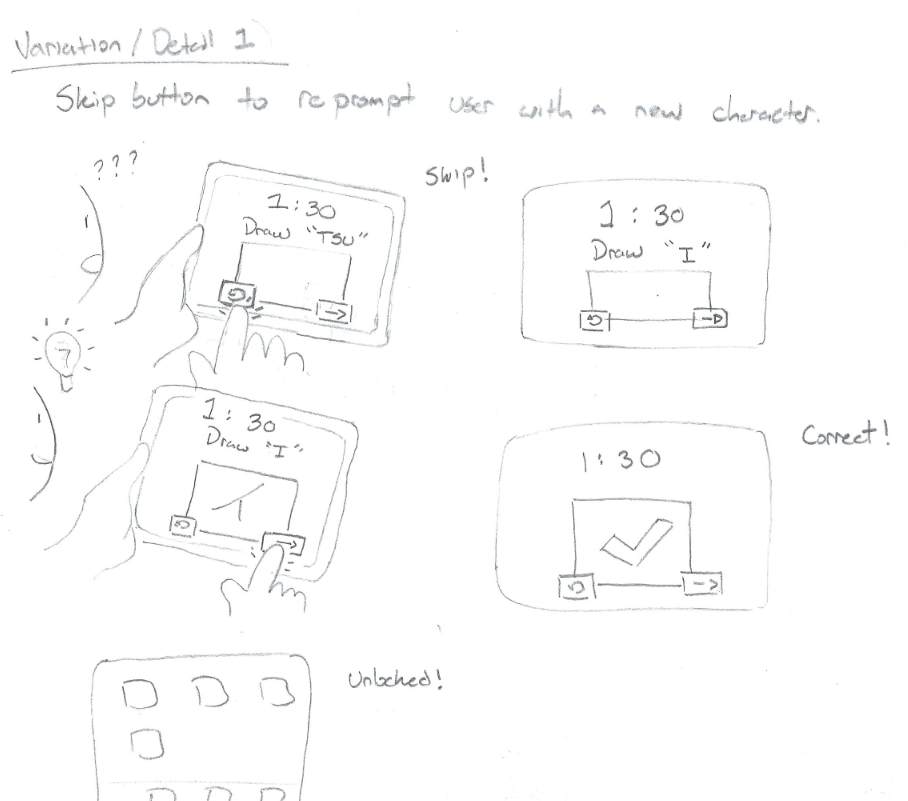
This detail includes a skip button along with the submit button. The skip button would enable the user to quickly regenerate a random prompt in a case where they are not sure of the character or need to get into the phone quickly.
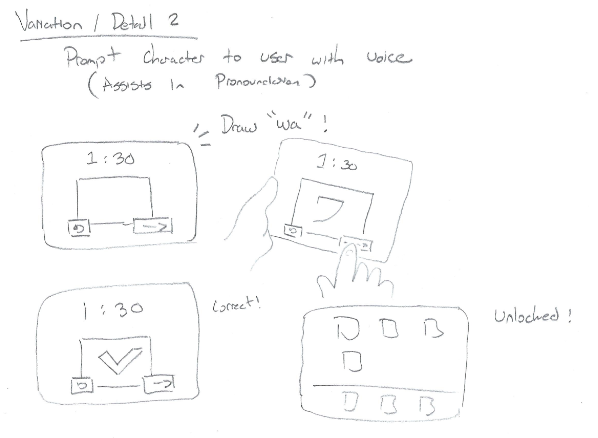
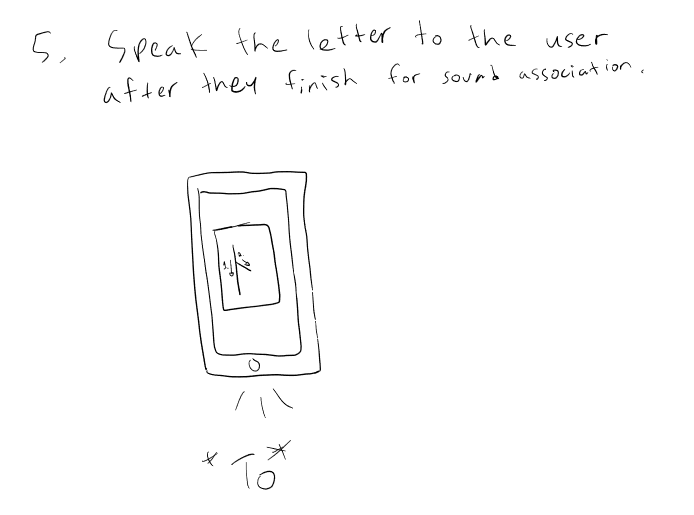
This variation would replace the regular text based character prompt with a voice clip from the phone, prompting the user with a character. This approach could assist the user in the pronunciation of the character along with practice writing it.
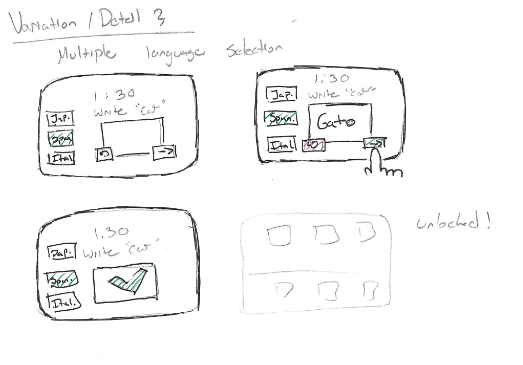
This detail would add support for multiple languages with different alphabets. This would be relevant for users who want to practice multiple languages, and could be configured on the lock screen itself in real time or beforehand in the phone’s settings.
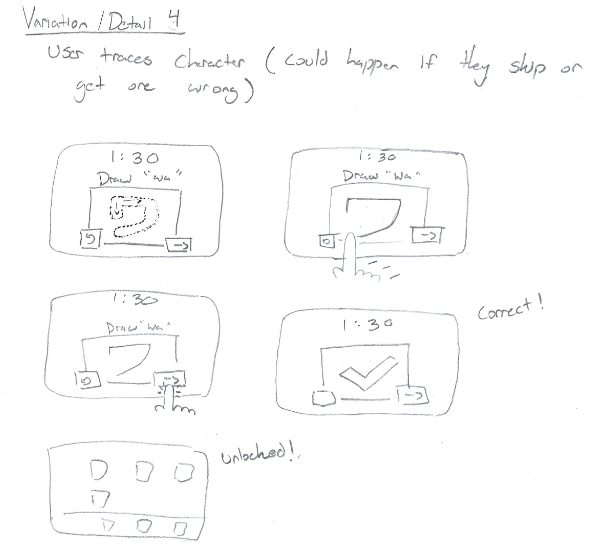
This variation increases the ease of use of the lock screen while providing a bit more constructive visual feedback for the user. Upon an incorrect input, the trace and stroke ordering would be presented to the user to align with the educational aspect of the design.
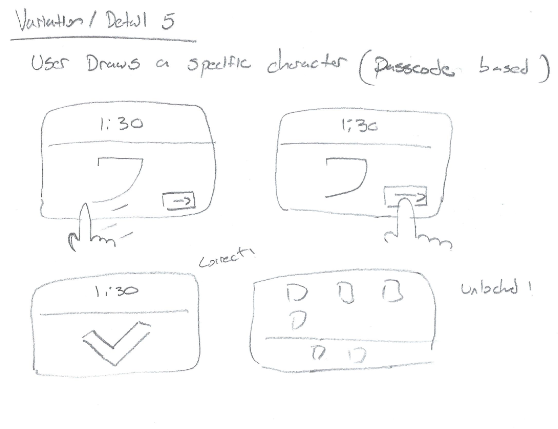
This is a variation that would give this design an aspect of authentication, where the user would draw on the canvas a specific character, or sequence of characters. This sequence would behave the same as a written passcode.
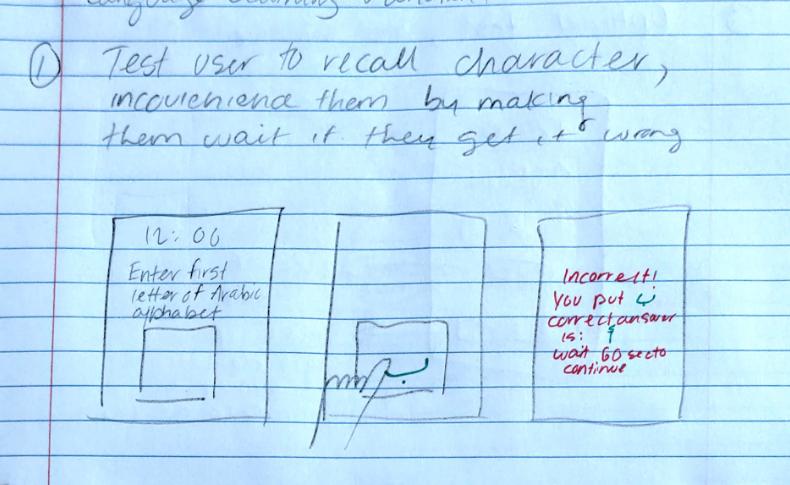
This variation would prompt the user to recall and draw a character from certain identifiers, rather than directly ask for the character. For example, asking for the first letter of an alphabet.
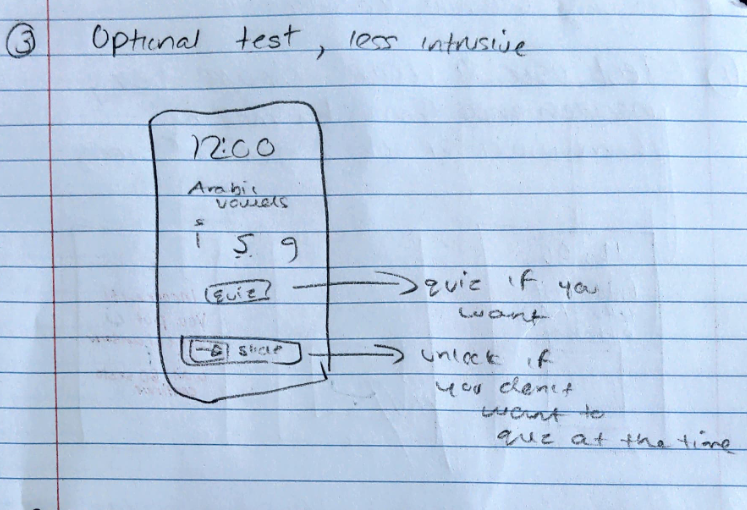
This detail would add another button to the interface that would allow the user to skip the character quiz entirely, to reduce the intrusiveness of the application.
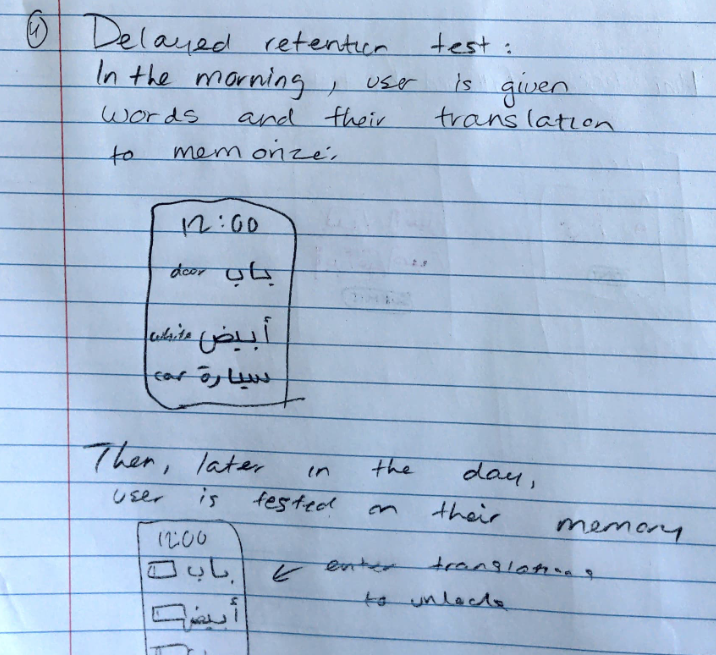
This variation would test the user’s retention of a language and its english translations through the use of a scheduled retention test. In the morning, the user would be notified with english words and their translations in another language. Throughout the day, their phone will prompt them to enter a subset of these translations to unlock their phone.
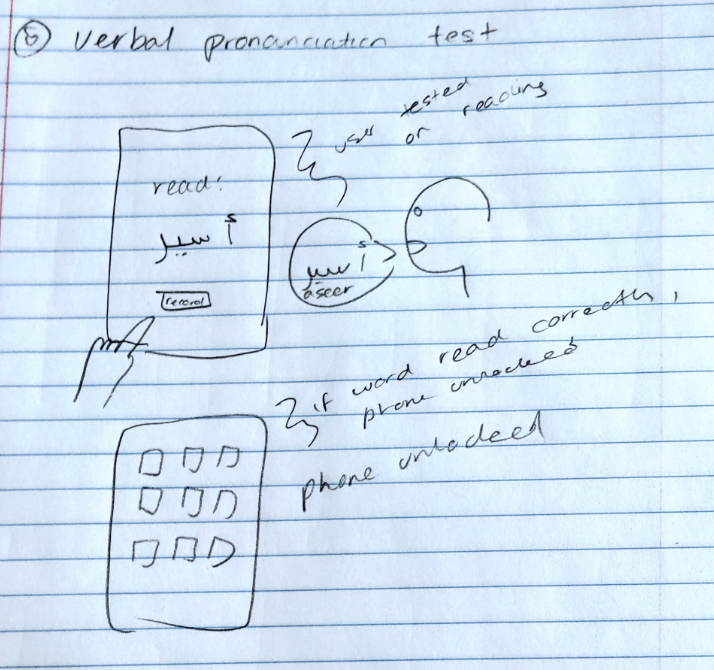
This variation focuses on testing the user’s pronunciation of a language. The lock screen would prompt the user with a word, and the user would speak the correct pronunciation into the phone’s microphone to unlock the phone.
Our final design incorporates the “skip button”, “recall based prompt” and “language selection” details. The “recall based prompt” incorporates a degree of inconvenience to the user where if their input is incorrect, they must wait through a short delay. The “skip” button gives the user an avenue to alleviate this inconvenience, so they can try for a character they know in instances where quick access is needed, but without letting the user circumvent the lock screen entirely. The “language selection” was also incorporated for the major Japanese language systems, Hiragana and Katakana, so the user can specify which one they want to practice. In the design of the final application, it also became necessary to give the user a way to eliminate any mistakes in their drawing, so an “erase” button was also implemented.
With further development, the incorporation of the character tracing detail would fit the use case very well. With this detail, it would not be required for the user to research characters they get incorrect, but it would allow the phone to give instant constructive feedback to the user and show them how to improve.
The overall implementation and design of the codebase were my responsibilities on this project. The resulting implementation leverages HTML, CSS and Javascript due to the ease in deployment and portability. As the core functionality of this project relies on determining the validity of a user's handwriting when compared against unicode characters, an OCR (Optical character recognition) library was utilized. After looking through many OCR libraries, very few were optimized for human handwriting. For this reason, handwriting.js was included to leverage Google's handwriting recognition API endpoint. This library also handles converting html canvas data to a format expected by Google's API. The API then returns the written japanese character in unicode with a surprisingly high accuracy in our limited test cases. After this hurdle was overcome, the rest of the implementation was straight CSS and jQuery animations for user feedback and program flow.
Site Link: https://marcellod1.github.io/ocr-lockscreen
Source Code: https://github.com/Marcellod1/ocr-lockscreen